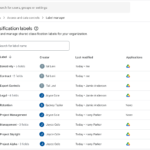
Google Drive, Docs, Sheets, Slides에서 시스템에서 적용한 분류 레이블을 빠르게 확인하세요.
▶ Google Workspace 관리자 매뉴얼 : https://bit.ly/googleworkspace-admin-manual
▶ Google Workspace 관리자 업데이트 : https://bit.ly/googleworkspace-admin-update
Google Drive, Docs, Sheets, Slides에서 시스템에서 적용한 분류 레이블
Google Drive, Docs, Sheets, Slides에서 자동으로 적용된 분류 레이블을 더 빠르게 확인할 수 있도록 개선했습니다. 이전에는 AI 분류 또는 기본 분류 규칙 으로 레이블이 지정된 파일의 경우 상단 배너에 ‘검토’ 버튼 만 표시되었습니다 . 이제 레이블이 자동으로 적용될 경우, 수정 권한이 있는 사용자는 배너에 ‘수락 ‘ 및 ‘수정’ 버튼을 바로 볼 수 있습니다.
‘수락’을 선택하면 한 번의 클릭으로 레이블이 확정되고, ‘ 편집’을 선택 하면 레이블 사이드 패널이 열려 변경할 수 있습니다. 사용자는 사이드 패널에서 새로 추가된 ‘레이블 수락’ 버튼을 사용하여 분류를 확인할 수도 있습니다. 여러 레이블이 자동으로 적용된 경우, 배너에는 ‘검토’가 계속 표시되어 사용자가 사이드 패널에서 확인할 수 있습니다.
불필요한 단계를 제거하면 사용자의 불편함이 줄어들어 자동 분류를 더 쉽게 확인하고 조직 전체에서 정확한 레이블 메타데이터를 유지할 수 있습니다.
 |
| 사용자는 배너에서 ‘수락’을 직접 클릭하여 자동으로 적용된 단일 분류 레이블을 확인하거나, ‘편집’을 클릭하여 레이블 사이드 패널에서 검토할 수 있습니다. |
시작하기
- 관리자: 이 기능에 대한 새로운 관리자 제어 옵션은 없습니다. 기본 분류 또는 드라이브 레이블을 사용한 AI 분류를 사용하는 조직의 경우 이 기능이 기본적으로 활성화 됩니다. 분류 레이블 관리 방법에 대한 자세한 내용은 도움말 센터를 참조하세요 .
- 최종 사용자: 이 기능에 대한 최종 사용자 설정은 없습니다. 파일에 분류 레이블이 자동으로 적용되면 파일 상단의 배너에서 ‘수락’을 클릭하거나(또는 레이블 측면 패널에서 ‘레이블 수락’을 클릭 ) 레이블 값을 수정할 수 있습니다. ‘수정’을 클릭하여 레이블 적용을 확정하거나 레이블 값을 수정할 수 있습니다. Google Drive 파일에 분류 레이블을 적용하고 검토하는 방법에 대한 자세한 내용은 고객센터를 참조하세요 .
Availability
- Business: Business Standard and Plus
- Enterprise: Enterprise Starter, Standard, and Plus
- Education: Education Standard and Plus
- Other Editions: Frontline Starter, Standard, and Plus; Enterprise Essentials and Enterprise Essentials Plus; Nonprofits
Note: Default classification is available on all editions listed above. AI classification is available on Enterprise Plus, Frontline Plus, and with the AI Security, or Google AI Pro for Education add-ons.