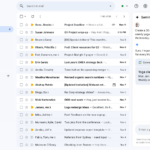
모바일 Gmail에서 Gemini를 사용하여 Google 캘린더에 이벤트를 빠르게 추가하세요
▶ Google Workspace Gemini 매뉴얼 : https://bit.ly/google-gemini-manual
▶ 구글 워크스페이스 Gemini 업데이트: https://bit.ly/google-gemini-update
모바일 Gmail Gemini로 Google 캘린더 이벤트 등록
웹용 Gmail에서 Gemini를 사용하여 이메일에서 바로 캘린더에 이벤트를 추가할 수 있는 기능을 선보였습니다. 오늘, 이 기능을 Android 및 iOS 기기에서 사용할 수 있게 되어 기쁩니다.
이번 업데이트를 통해 Gemini가 이메일에서 캘린더 관련 콘텐츠를 자동으로 감지하여 “캘린더에 추가” 버튼이 나타납니다. 이 옵션을 클릭하면 Gmail 하단 패널이 열리고 해당 일정이 캘린더에 추가되었음을 확인할 수 있습니다.

추가 세부 정보
Gemini가 이메일에서 여러 이벤트에 대한 내용을 감지하면 Gemini는 해당 이벤트를 모두 Google 캘린더에 추가하도록 제안합니다.
시작하기
관리자:
- Workspace 앱의 측면 패널에서 Gemini에 액세스하려면 사용자가 스마트 기능과 개인 설정을 활성화해야 합니다. 관리자는 관리 콘솔에서 사용자의 기본 개인 설정 설정을 활성화 할 수 있습니다 .
최종 사용자:
- 이 기능은 현재 영어로 된 이메일에만 제공됩니다.
- 이미 추출된 이벤트(예: 레스토랑, 항공편 등)가 포함된 이메일에는 “캘린더에 추가” 버튼이 나타나지 않습니다.
- “캘린더에 추가” 버튼을 통해 생성된 캘린더 이벤트에는 다른 게스트가 포함되지 않으므로 나중에 추가해야 합니다.
Availability
Available for Google Workspace:
- Business Starter, Standard, and Plus
- Enterprise Starter, Standard, and Plus
- Frontline Plus
- Customers with the Gemini Education or Gemini Education Premium add-on
- Google AI Pro and Ultra
Anyone who previously purchased these add-ons will also receive this feature:
- Gemini Business*
- Gemini Enterprise*
*As of January 15, 2025, we’re no longer offering the Gemini Business and Gemini Enterprise add-ons for sale. Please refer to this announcement for more details.
내용 : https://workspaceupdates.googleblog.com/2025/08/add-events-gmail-calendar-gemini-mobile.html