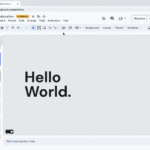
Google Vids에서 Gemini를 사용하여 기존 Google Slides 프레젠테이션에서 비디오를 만듭니다.
▶ Google Vids 매뉴얼 : https://bit.ly/GoogleVids-manual
▶ Google Vids 업데이트 : https://bit.ly/google-vids-update
Google Vids Gemini 구글 프레젠테이션 비디오 만들기
Google Vids 사용하여 기존 Google Slides 콘텐츠를 매력적인 동영상으로 변환하는 기능의 첫 번째 버전을 발표했습니다 . 이제 Gemini에서 생성된 스크립트, AI 음성 해설, 배경 음악까지 이 기능을 확장합니다. 이를 통해 기존 콘텐츠를 공유 가능하고 매력적인 동영상으로 더 쉽고 빠르게 변환할 수 있습니다.

이전과 마찬가지로 vids.new를 열고 “슬라이드 변환”을 선택한 후 , 사용할 슬라이드 프레젠테이션을 선택 하고 가져올 슬라이드를 선택하세요. 새로운 Gemini 기능을 사용하려면 “AI 음성 해설, 대본 및 배경 음악 포함” 토글이 활성화되어 있어야 합니다.
그러면 Vids가 각 슬라이드에서 장면을 만들고 대본, 음성 해설, 배경 음악을 삽입합니다. Veo 3를 사용하면 객체에 애니메이션을 추가하거나 AI 비디오 클립을 생성하는 등 추가 편집 작업을 수행할 수 있습니다.
Availability
Available for Google Workspace:
- Business Starter (until May 2026), Standard and Plus
- Enterprise Starter (until May 2026), Standard and Plus
- Essentials, Enterprise Essentials and Enterprise Essentials Plus
- Available for a limited time (until May 2026) in both Education Plus and Teaching and Learning
- Nonprofits (until May 2026)
Also available to
- Google AI Pro for Education add-on
- Google AI Pro & Ultra add-ons
Anyone who previously purchased these add-ons will also receive this feature:
- Gemini Business* Gemini Enterprise*
*As of January 15, 2025, we’re no longer offering the Gemini Business and Gemini Enterprise add-ons for sale. Please refer to this announcement for more details.