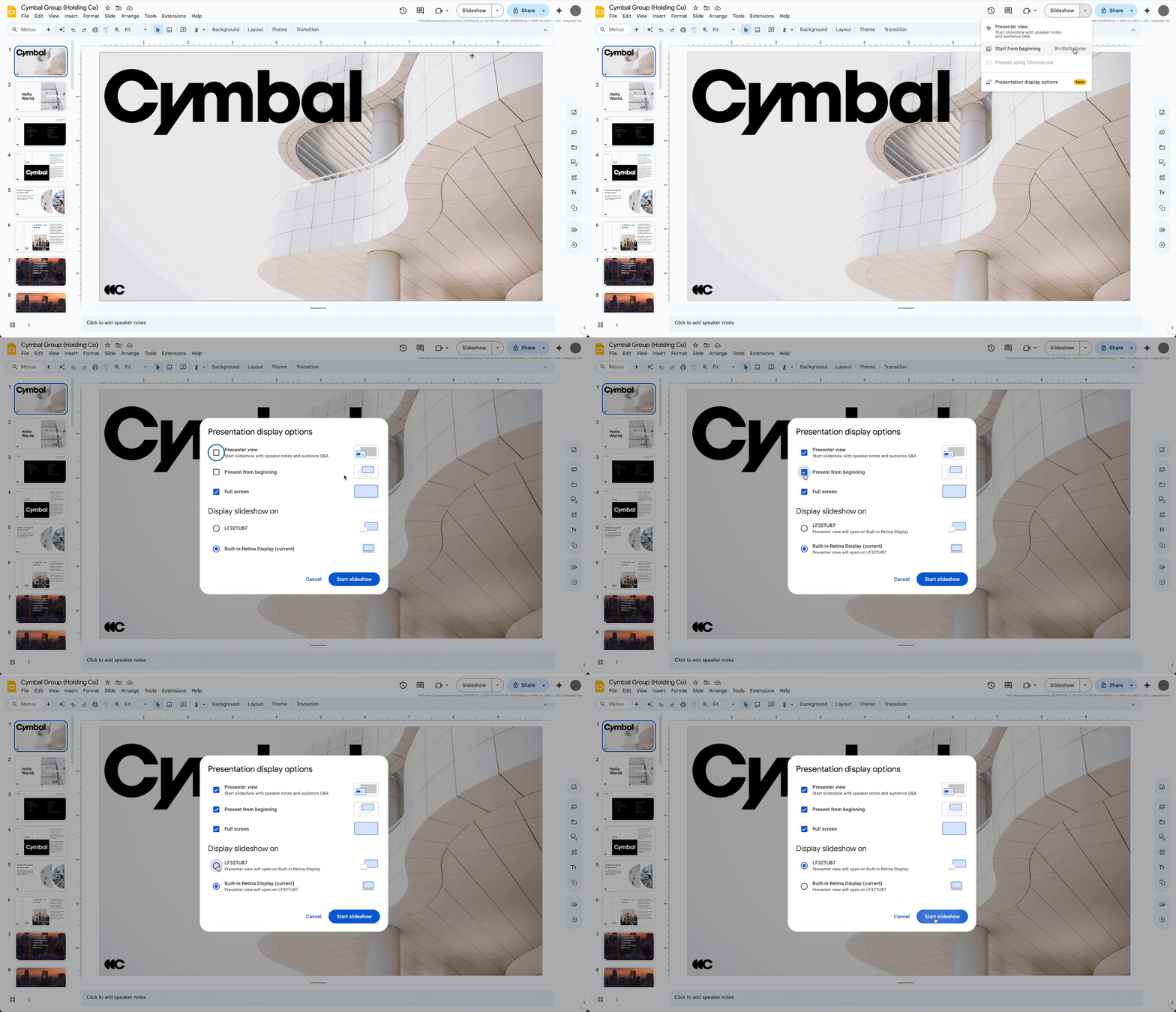
Google Meet에서 Google 슬라이드를 표시하는 동안 스피커 노트 보기를 지원합니다.
▶ Google Meet 매뉴얼 : https://bit.ly/3eeGAmv
▶ Google Meet(CSC-M17) 업데이트
Google Meet 발표시 스피커 노트 보기
구글에서는 구글 미트에서 구글 슬라이드를 직접 제시할 수 있는 기능을 소개했었습니다. 이를 바탕으로 이제 Google Meet에서 스피커 노트를 볼 수 있습니다.
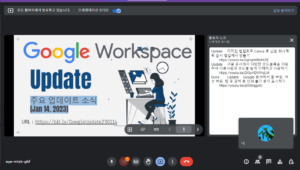
Meet의 슬라이드 컨트롤 표시줄에서 새 스피커 노트 단추를 클릭하여 통화 내에서 스피커 노트를 표시합니다. 노트와 슬라이드를 상황에 맞게 전환하지 않고도 자신감을 갖고 청중과 소통할 수 있습니다.
2023 01 16 11 28 53
Meet에서 “Present a Tab(탭 제시)”를 선택하고 Google Slide(구글 슬라이드) 프레젠테이션을 선택한 후 프레젠테이션 하단 모서리에 있는 컨트롤에서 스피커 노트 버튼을 클릭합니다.
Availability
- Available to Google Workspace Business Standard, Business Plus, Enterprise Essentials, Enterprise Standard, Education Standard, Enterprise Plus, Education Plus, the Teaching and Learning Upgrade, and Nonprofits customers
- Not available to Google Workspace Essentials, Business Starter, Education Fundamentals, Frontline, as well as legacy G Suite Basic and Business customers
- Not available to users with personal Google Accounts
내용 : https://workspaceupdates.googleblog.com/2023/01/view-google-slides-speaker-notes-in-google-meet.html