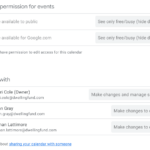
Google 채팅에서 공유된 Google 문서, 슬라이드 또는 시트 파일 요약을 직접 확인할 수 있습니다.
▶ Google Chat 매뉴얼 : https://bit.ly/googlechat-manual
▶ Google Chat 매뉴얼 업데이트 https://bit.ly/googlechat-update
▶ 2024 Google Workspace 스마트폰에서 chat 사용하기
Google Chat 공유된 구글 문서 요약확인
Home 뷰에서 Google Chat의 요약이 사용자에게 메시지 내용에 대한 요약을 제공하는 것과 유사하게, Chat에서 공유되는 파일을 미리 볼 수 있는 새로운 방법을 소개하게 되어 기쁩니다.
오늘부터 사용자는 채팅 대화에서 공유하는 Google 문서, 슬라이드 및 시트 파일을 쉽게 요약할 수 있습니다. 대화의 각 파일 미리보기 카드에 표시되는 새 “이 파일 요약” 버튼을 클릭하기만 하면 Gemini가 파일을 요약하여 채팅을 종료하지 않고도 빠르게 개요를 파악할 수 있습니다.
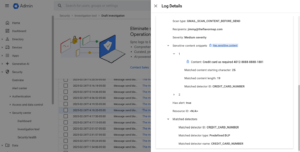
Gmail DLP Sensitive Content Snippets 지원
연결된 Google 문서, 시트 및 슬라이드에 대한 Gemini 요약
Gemini는 채팅에서 공유된 파일의 신속한 주문형 요약을 제공함으로써 시간을 절약하고 공유 파일의 요점을 즉시 파악할 수 있도록 도와주며, 각 문서를 열 필요가 없습니다.
관리자: Home에서 요약에 액세스하려면 사용자가 스마트 기능과 개인 설정을 켜야 합니다. 관리자는 관리 콘솔에서 사용자의 기본 개인 설정을 켤 수 있습니다.
최종 사용자: Google 제품의 스마트 기능 및 컨트롤을 켜고 끄면 이 기능을 켜고 끌 수 있습니다.
웹에서 채팅에서 공유한 파일 요약을 보려면 “이 파일 요약” 버튼을 클릭하세요.
Availability
- Business Standard and Plus
- Enterprise Standard and Plus
- Customers with the Gemini Education or Gemini Education Premium add-on
- Gemini Business*
- Gemini Enterprise*
- AI Meetings and Messages*