Google 문서에서 Google 캘린더 초대에 다른 사용자와 공동 작업을 지원합니다.
▶ Google 문서 매뉴얼 : https://goo.gl/LmsM5a
▶ Google 문서 매뉴얼(CSC-M06) 업데이트
Google 문서 Google 캘린더 사용자 공동작업
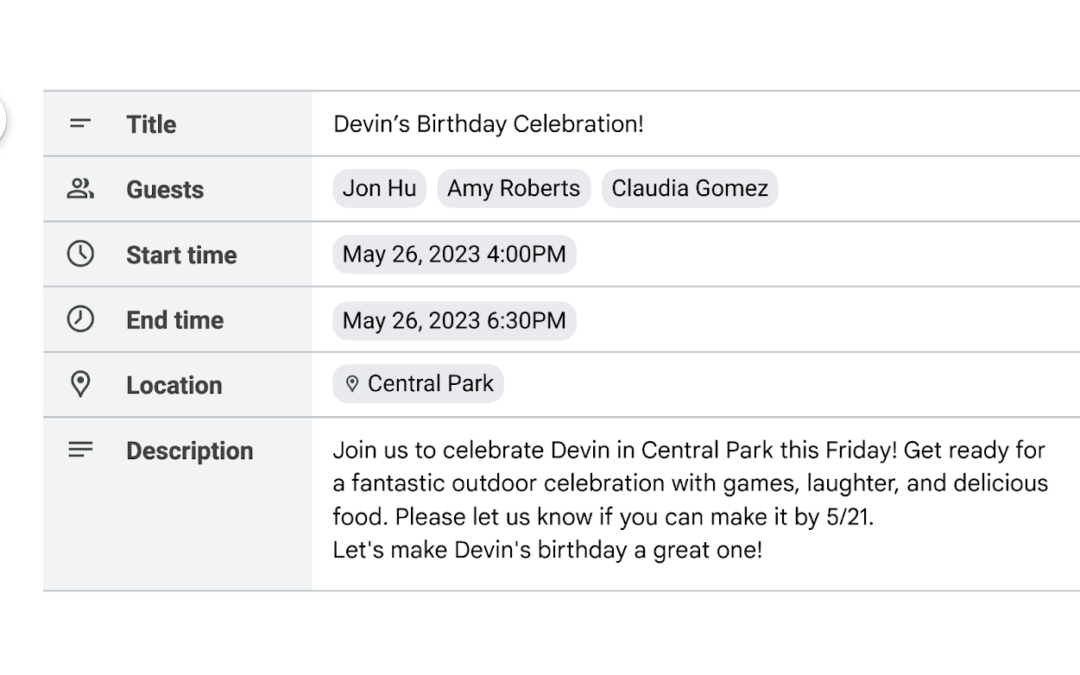
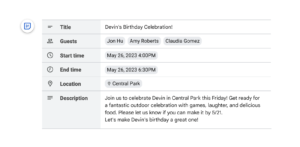
Google Docs에서 맞춤형 빌딩 블록과 접이식 제목을 사용하는 스마트 캔버스의 최신 혁신에 따라 다른 사람과 협업하여 일정 초대 초안을 작성할 수 있는 빌딩 블록을 추가합니다.
이 기능은 여러 이해 관계자가 날짜, 시간, 참석자, 이벤트 설명 등에 대한 정보를 입력할 때 유용합니다. 전자 메일 초안 템플릿과 마찬가지로 초대가 완료되면 달력 아이콘을 클릭하여 보낼 준비가 되었을 때 Google 캘린더로 세부 정보를 끌어오기만 하면 됩니다.
Google 문서 Google 캘린더 사용자 공동작업
Google 문서에서 Google 캘린더 초대에 다른 사용자와 공동 작업
최종 사용자: 이 기능을 사용하려면 Google 문서에 대한 편집 권한이 있어야 합니다. 문서를 열고 “@”, “Calendar event draft” > Enter 키를 누르면 됩니다. 삽입 > 구성요소 > 일정관리 이벤트 초안으로 이동할 수도 있습니다.
Availability
- Available to Google Workspace Business Standard, Business Plus, Enterprise Standard, Enterprise Plus, Education Plus customers and Nonprofits
- Not available to Google Workspace Essentials Starter, Business Starter, Enterprise Essentials, Enterprise Essentials Plus, Education Fundamentals, Education Standard, the Teaching and Learning Upgrade, Frontline Starter, and Frontline Standard
- Not available to users with personal Google Accounts
내용 : https://workspaceupdates.googleblog.com/2023/05/draft-google-calendar-invites-in-google-docs.html