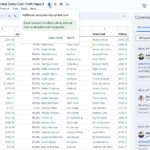
Windows 및 Mac OS에서 데스크탑용 Google Drive와 클라이언트 측 암호화된 파일 동기화를 할 수 있습니다.
▶ Google Workspace 관리자 매뉴얼 : https://goo.gl/zsNdTX
▶ Google Workspace 관리자 업데이트
Google 드라이브와 클라이언트 암호화된 파일 동기화
일부 Google Workspace 버전의 관리자는 Drive for Desktop을 포함하도록 클라이언트 측 암호화 구성을 업데이트할 수 있습니다. 이 옵션을 선택하면 Windows 및 Mac OS 기기의 Drive for Desktop과 Google Drive, Docs, Sheets 및 Slides 파일을 동기화할 수 있습니다. 동기화된 암호화된 파일은 Windows(윈도우)에서는 바로 가기, Mac OS에서는 심볼릭 링크로 나타납니다.

Google 드라이브와 클라이언트 암호화된 파일 동기화
파일 공급자에 대한 Mac OS 사용자에 대한 지원은 향후 릴리스에서 소개될 예정입니다.
또한 도메인의 클라이언트 측 암호화 사용자가 로컬 파일을 암호화하고 Google 드라이브에 업로드할 수 있습니다.
이 기능을 사용하려면 관리자가 CSE 구성을 업데이트해야 합니다(ID 공급자 설정에 새 Drive for Desktop Client ID 추가).
Availability
Synchronize encrypted files
- Available to all Google Workspace customers, as well as legacy G Suite Basic and
Business customers Encrypt and upload local files
- Available to Google Workspace Enterprise Plus, Education Standard and Education Plus customers
- Not available to Google Workspace Essentials, Business Starter, Business Standard, Business Plus, Enterprise Essentials, Education Fundamentals, Education Teaching & Learning Upgrade, Frontline, and Nonprofits, as well as legacy G Suite Basic and Business customers
내용 : https://workspaceupdates.googleblog.com/2022/06/synchronize-cse-files-with-drive-for-desktop.html

.gif "Google Meet 하드웨어 장치에서 클라이언트 측 암호화된 회의에 참여")