이제 Gmail에 대한 클라이언트 측 암호화를 일반적으로 사용할 수 있습니다
▶ Google Workspace Gmail 매뉴얼 : https://goo.gl/jCNzKR
▶ Google Workspace Gmail 업데이트
Gmail 클라이언트 측 암호화 전반적 사용
오늘부터 Gmail에 대한 클라이언트 측 암호화는 일반적으로 Google Workspace Enterprise Plus, Education Plus 및 Education Standard 고객에게 제공됩니다. 현재 베타에 등록된 고객의 경우 사용자의 경험은 변경되지 않습니다.

Gmail 클라이언트 측 암호화 전반적 사용
작업 공간은 이미 설계별 보안 암호화 라이브러리를 사용하여 유휴 및 전송 중인 데이터를 암호화합니다. 클라이언트 측 암호화는 고객이 암호화 키를 단독으로 제어할 수 있도록 함으로써 기존 암호화 기능을 한 단계 끌어올려 데이터에 대한 액세스를 완벽하게 제어합니다.
이 기능은 기본적으로 해제되며 도메인, OU 및 그룹 수준(관리 콘솔 > 보안 > 액세스 및 데이터 제어 > 클라이언트 측 암호화)에서 사용할 수 있습니다.
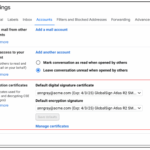
최종 사용자: Workspace 관리자가 활성화한 후 메시지에 클라이언트 측 암호화를 추가하려면 잠금 아이콘을 누르고 추가 암호화를 선택한 후 메시지를 작성하고 일반적으로 첨부 파일을 추가합니다.
Availability
- Available to Google Workspace Enterprise Plus, Education Plus, and Education Standard customers
- Not available to Google Workspace Essentials, Business Starter, Business Standard, Business Plus, Enterprise Essentials, Education Fundamentals, Frontline, and Nonprofits, as well as legacy G Suite Basic and Business customers
- Not available to users with personal Google Accounts