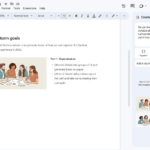
Gemini Notebook의 기존 소스를 기반으로 Google Docs에서 Ground AI 프롬프트를 표시합니다.
▶ Google Workspace Gemini 매뉴얼 : https://bit.ly/google-gemini-manual
▶ 구글 워크스페이스 Gemini 업데이트: https://bit.ly/google-gemini-update
Gemini Notebook의 Google Docs에서 Ground AI 프롬프트를 표시
Google Docs에서 Gemini Notebook을 컨텍스트 소스로 사용할 수 있는 기능을 새롭게 선보입니다. Workspace Intelligence를 기반으로 구축된 이 기능은 엄선된 지식 기반을 활용하여 초안을 작성함으로써 심층적인 연구와 콘텐츠 제작 간의 격차를 해소합니다. 이제 탭을 전환하거나 도구 간에 복사 붙여넣기를 할 필요 없이 모든 작업을 효율적으로 수행할 수 있습니다.
Gemini Notebook에서 연구 자료를 정리해 두었다면 이제 Google Docs에서 바로 해당 라이브러리에 액세스할 수 있습니다. 프로젝트 제안서를 작성하든 기술 백서를 작성하든, 측면 패널이나 하단 바에 “@”를 입력하기만 하면 기존 Notebook을 참조할 수 있습니다. Gemini는 검색 결과에 해당 Notebook의 출처를 표시하고 본문 내에 인용 정보를 제공하여 작업 흐름을 유지하면서도 쉽게 사실을 확인할 수 있도록 도와줍니다.
시작하기
- 관리자: 이러한 기능은 Drive에서 Workspace용 Gemini가 활성화된 경우 기본적으로 제공됩니다 . Google Workspace에서 Gemini 기능에 대한 액세스 관리 방법 에 대한 자세한 내용은 고객센터를 참조하세요 .
- 최종 사용자: 이러한 기능을 사용하려면 Workspace 스마트 기능이 활성화되어 있어야 합니다 . Google Docs에서 Gemini를 사용하여 개인화된 문서를 만드는 방법 에 대한 자세한 내용은 도움말 센터를 참조하세요 .
Availability
- Business: Business Standard and Plus
- Enterprise: Enterprise Standard and Plus
- Education: Education Plus
- Consumer: Google AI Pro and Ultra
- Education Add-ons: Google AI Pro for Education, Teaching and Learning
- Other Add-ons: AI Expanded Access