감사로그로 구글 클래스룸 활동로그 매트릭 확인하기룰 통해서 구글 클래스룸의 활동을 확인합니다.
▶ Google 기타 서비스 매뉴얼 : https://goo.gl/ncR6jV
▶ Google 기타 서비스 업데이트
감사로그로 구글 클래스룸 활동로그 매트릭 확인하기
Google Classom을 위해 두 가지 기능을 개선하여 Google Workspace for Education 관리자가 해당 조직에서 클래스룸이 어떻게 사용되고 있는지에 대한 정보를 표시할 수 있도록 지원합니다. 구체적으로 다음과 같이 소개합니다.
- 관리 콘솔의 클래스룸 감사 로그
- BigQuery 및 Data Studio 대시보드의 강의실 활동 로그.
-

감사로그로 구글 클래스룸 활동로그 매트릭 확인하기
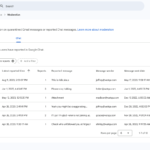
강의실 감사 로그를 표시하여 관리자는 자신의 도메인에서 누가 무엇을 했는지, 예를 들어 수업에서 학생을 제거한 사람, 특정 날짜에 수업을 보관한 사람 등을 신속하게 파악할 수 있습니다.
Education Standard 및 Plus 고객의 경우 관리자는 관리 콘솔에서 BigQuery로 클래스룸 감사 로그 데이터를 내보낼 수 있으며, 이를 통해 필요에 따라 데이터를 쿼리할 수 있습니다. 먼저, 데이터를 쉽게 소화할 수 있는 형식으로 표시하는 Data Studio 보고서 템플릿을 제공했습니다. 관리자는 Data Studio를 사용하여 이 템플릿을 복사하고 추가로 사용자 지정할 수 있습니다.
이를 통해 관리자는 조직의 일반적인 활동을 보다 쉽게 찾고 지원이 필요한 시나리오에 신속하게 대처할 수 있기를 바랍니다.
관리자는 교실 감사 로그에 액세스하려면 관리 콘솔을 방문하십시오.
사용가능
Classroom audit logs
- Available to Google Workspace Education Fundamentals, Education Plus, Teaching and Learning Upgrade, Essentials, Business Starter, Business Standard, Business Plus, Enterprise Essentials, Enterprise Standard, and Enterprise Plus Frontline, and Nonprofits, as well as G Suite Basic and Business customers
BigQuery Logs + Data Studio Templates
- Available to Google Workspace Education Standard and Education Plus customers
- Not available to Google Google Workspace Essentials, Business Starter, Business Standard, Business Plus, Enterprise Essentials, Enterprise Standard, Enterprise Plus, Frontline, Education Fundamentals, the Teaching and Learning Upgrade, and Nonprofits, as well as G Suite Basic and Business customers