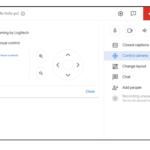
카메라 위치에 따른 본인 표시가 Google Meet 비디오 통화에서 가시성 향상됩니다.
▶ Google Meet 매뉴얼 : https://bit.ly/3eeGAmv
▶ Google Meet(CSC-M17) 업데이트
Google Meet 비디오 통화에서 프레임 재조정
카메라 배치에 따라 일부 미팅 참가자는 다른 미팅 참가자에 비해 잘 보이지 않을 수 있습니다. 이제 Google Meet은 미팅에 참여하기 전에 자동으로 비디오를 틀에 넣어 모든 참가자에게 동일한 가시성을 보장할 수 있습니다. 자동 프레임은 한 번만 수행되므로, 미팅 내용에서 주의를 돌릴 수 있는 모션 방해 요소가 없습니다. 언제든지 설정에서 수동으로 비디오를 재구성할 수 있습니다.
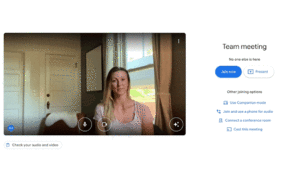
Google Meet 비디오 통화에서 가시성 향상
미팅에 참여하기 전에 화면 중앙에 있는 프레임에서 만나 가시성 향상
이 기능은 기본적으로 꺼져 있으며 사용자가 활성화할 수 있습니다.
Availability
- Available to Google Workspace Business Standard, Business Plus, Enterprise Essentials, Enterprise Starter, Enterprise Standard, Enterprise Plus, Education Plus, Education Teaching and Learning Upgrade, and Workspace Individual customers with eligible devices.
- Also available to Google One subscribers with 2TB or more storage space with eligible devices. Visit the Help Center to learn about device requirements for video framing.
- Not available to Google Workspace Essentials, Business Starter, Education Fundamentals, Frontline, and Nonprofits, as well as G Suite Basic and Business customers.
- Not available to users with personal Google Accounts.
내용 : https://workspaceupdates.googleblog.com/2022/10/google-meet-auto-frame.html
.gif "Google Meet 자동 프레임 가상배경에서 제공")