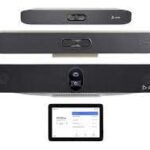
이제 Google Meet 하드웨어와 Zoom Room 통화 중 레이아웃 선택이 가능합니다
▶ Google Meet 매뉴얼 : https://bit.ly/googlemeet-manual
▶ Google Meet(CSC-M17) 업데이트 https://bit.ly/google-meet-update
▶2024 Google Workspace 스마트폰에서 Meet 사용하기
Google Meet HW Zoom Rooms 연동
Google Meet 장치와 Zoom 룸 간의 상호 운용성 지원을 확대하여 회의 레이아웃 변경 지원을 포함하고 있습니다. 이를 통해 회의 중 집중력과 참여도를 향상시키는 데 가장 적합한 레이아웃을 유연하게 선택할 수 있습니다.
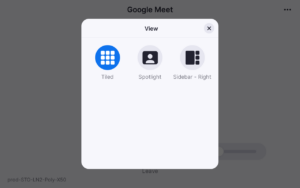
Zoom Rooms에서 Google Meet 통화에 참여하는 경우 “보기” 옵션을 선택하여 레이아웃을 변경할 수 있습니다. 타일 보기, 스피커 스포트라이트 보기 또는 사이드바 보기 중에서 선택할 수 있습니다.
unnamed (8)
Zoom Rooms 하드웨어를 사용하여 Google Meet 통화에서 회의 레이아웃 선택하기
Google Meet 하드웨어 장치에서 Zoom Meetings에 가입하는 경우, “레이아웃 변경” 옵션으로 이동하여 장치 설정에서 레이아웃을 변경할 수 있습니다. 갤러리 또는 스피커 보기 중에서 선택할 수 있습니다.
Meet 하드웨어 장치를 사용하여 Zoom 통화에서 미팅 레이아웃 선택하기
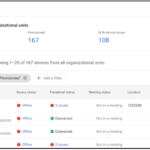
관리자: Google Meet 하드웨어의 Zoom interop은 기본적으로 장치에서 사용할 수 있으며, Workspace Admin 콘솔에서 장치 > Google Meet 하드웨어 > 설정 > 장치 설정 > 내장 상호 운용성에서 OU 수준으로 비활성화할 수 있습니다.
Availability
- Zoom interop on Google Meet hardware is available to all Google Workspace customers with Google Meet hardware devices that have not yet reached their auto-update expiration date.
- Meet interop on Zoom Rooms is available to all Zoom Rooms customers on a supported Zoom Rooms device or appliance. Note that your device may not fully support the feature until its manufacturer has pushed the latest Zoom Rooms software update to its devices.
- Please refer to the Zoom Support page to see the most up-to-date list on supported devices and platforms.